Local models
Run open models on your own computer. See which ones it can handle, download one with a click, and chat privately.
Transcript
Select a time to play the video from that point.
Some questions are better kept close to home. With local models, EvryAi runs open models right on your own computer. It lives in the model picker you already use. Open the On this computer tab, and browse the library. First, it reads your computer. Your chip, your memory, your graphics.
So it knows what will run well. Every model gets a clear verdict for your machine, with the speed to expect, before you download a thing. Here's how it decides. A model has to fit in fast memory. This Mac can lend about 36 GB to a model. The model itself, plus room for your conversation, has to fit inside that.
And memory speed sets how quickly the words appear. Too big? It tells you exactly what it would take. A smaller model that runs today, or the hardware that would run this one, with current prices. Pick one that fits, and download it in one click. Pause whenever you like. It picks up right where it left off.
Then just chat. Every word of the reply is written right here, on your own chip. Each answer shows how it ran. The speed, the memory window, and where it was generated. When it needs the web, it asks first. Searches go through EvryAi, and you decide. Off, ask each time, or always allow.
Need more power? Switch the same chat to a cloud model. The whole conversation comes along. Local when you want it close. The cloud when you need the most capable models. One conversation, either way. Need a model bigger than your computer can hold? Add a cloud GPU.
Pick the graphics card, from an RTX 4090 up to an H200, and EvryAi sets the machine up for you. The same library now reads that machine. With 80 GB of graphics memory, gpt-oss 120B runs great. Download it straight to the machine, then chat. Every word is written on that GPU, about two hundred tokens a second, and streamed back to you.
And each reply still shows exactly where it ran. Here's how it works. Your app reaches the machine over a private, encrypted connection. Models download straight to it from Hugging Face, checked file by file. It's billed by the hour while it runs, stops when it sits idle, and is deleted when it stops, models and all.
And it stays in your organization's hands. Cloud GPUs come with Enterprise plans, and your admins turn them on. Each person gets one machine at a time, every machine has a time limit, and admins can see and stop any of them. Local models, in EvryAi. The latest open models, on your own computer, your own machines, or a cloud GPU.
On Mac and Windows.
More videos
All videos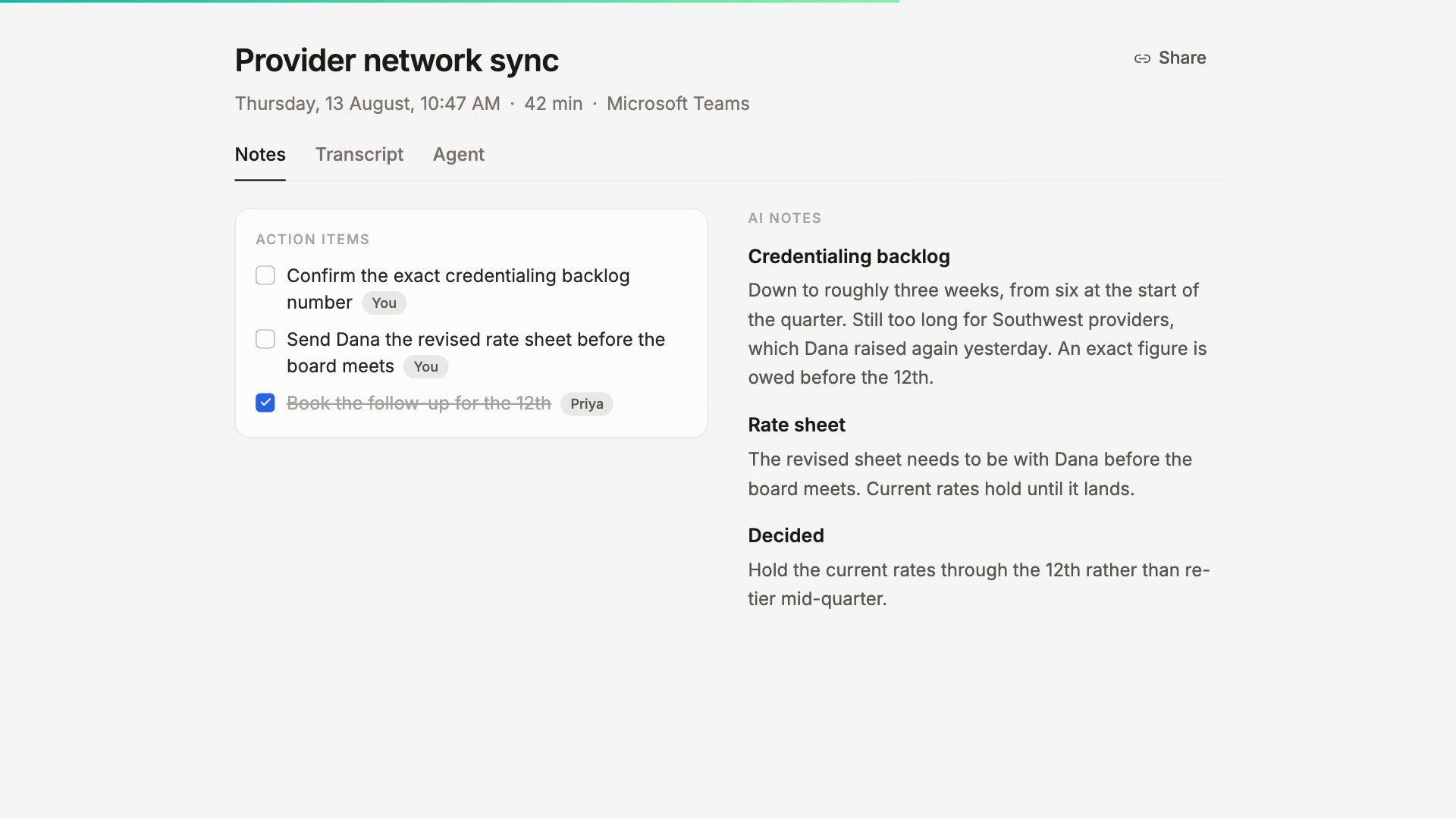
Scribe
1:37 · No sound
Scribe notices when a call starts, records from your own machine and hands you notes and action items when you hang up. No bot joins.
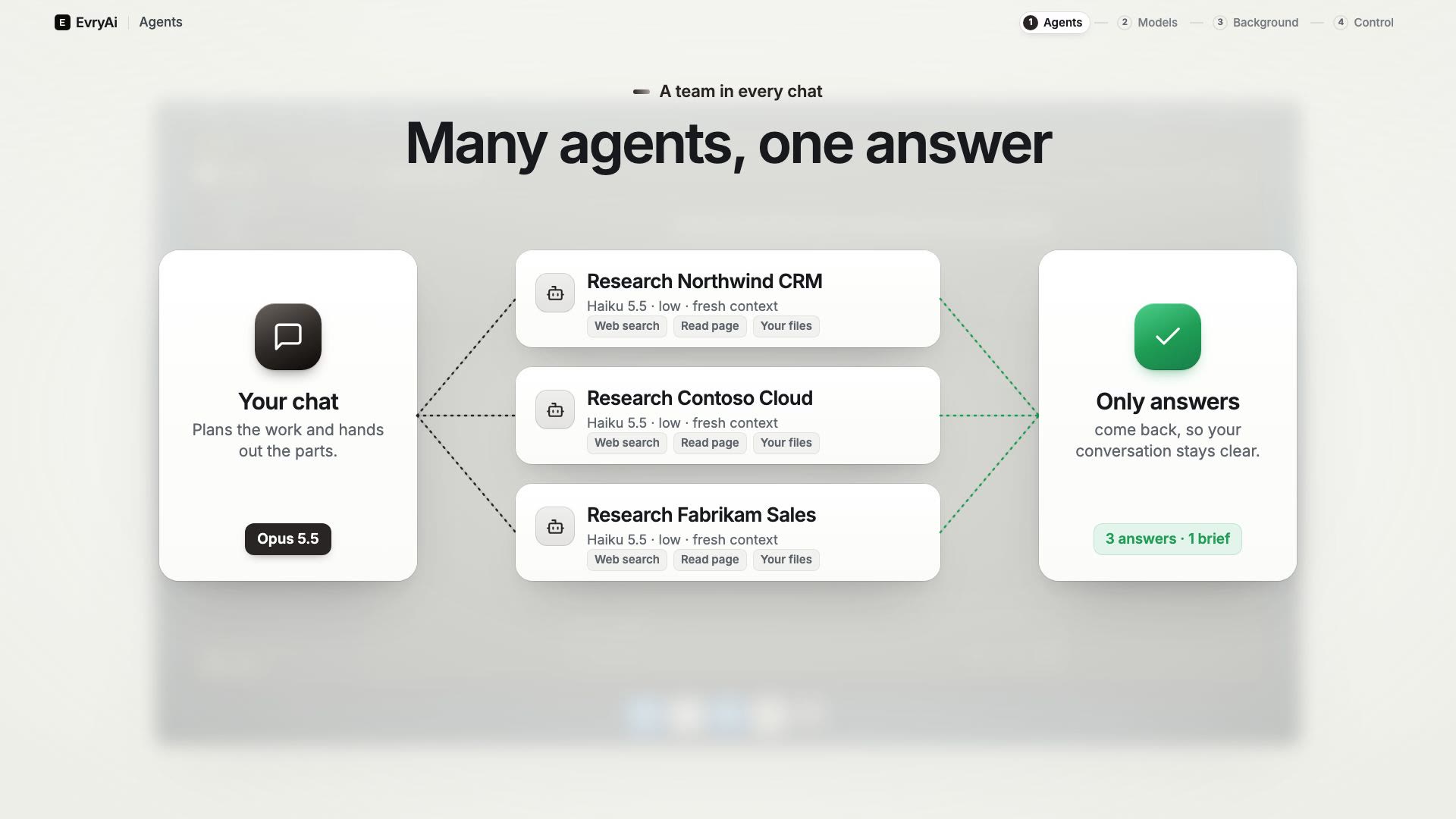
Agent orchestration
3:09 · Narrated
Split big jobs across agents that run side by side, put Claude, GPT and Gemini on the same task, and stop it all with one click.
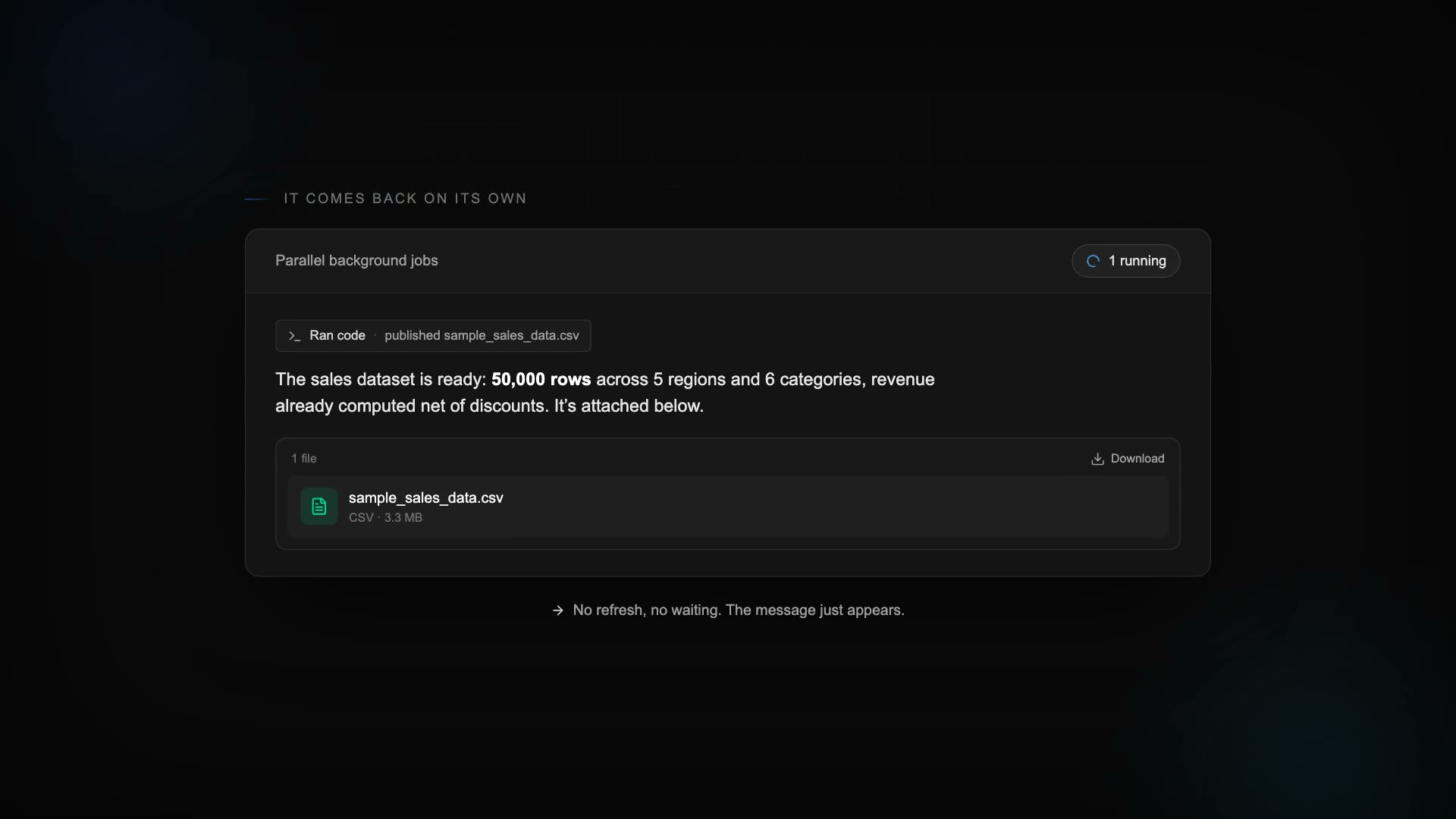
Background agents
0:33 · No sound
Hand off long work and keep going. The agent finishes the job and reports back with the file ready.
Put AI to work without losing control of it
Sign in with your work account, read the guide to see exactly what the platform can do, or talk to us about bringing it to your team.