Scribe
Scribe notices when a call starts, records from your own machine and hands you notes and action items when you hang up. No bot joins.
What the video shows
The film has no sound. These are its scenes, in order, as they appear on screen.
Be in the meeting, not writing it down
Scribe runs in the EvryAi desktop app.
A meeting starts and Scribe offers to take notes
No bot joins the call and nothing is announced to the room. Nothing records until you say so.
Both sides, as they are said
Scribe records your microphone and the audio coming out of your speakers.
The notes keep up with the room
The notes are rewritten every thirty seconds, and action items are pulled out as they are agreed.
Hang up and you are done
Recording also stops on its own when the call ends.
Notes and action items, afterwards
The meeting page has the summary, the decisions and who owes what.
Send it on
Share the notes with one link and choose what is on it: the summary, the action items, your own notes or the transcript.
The same on Windows
Teams, Zoom, Meet, Slack, Webex or a call in a browser tab.
More videos
All videos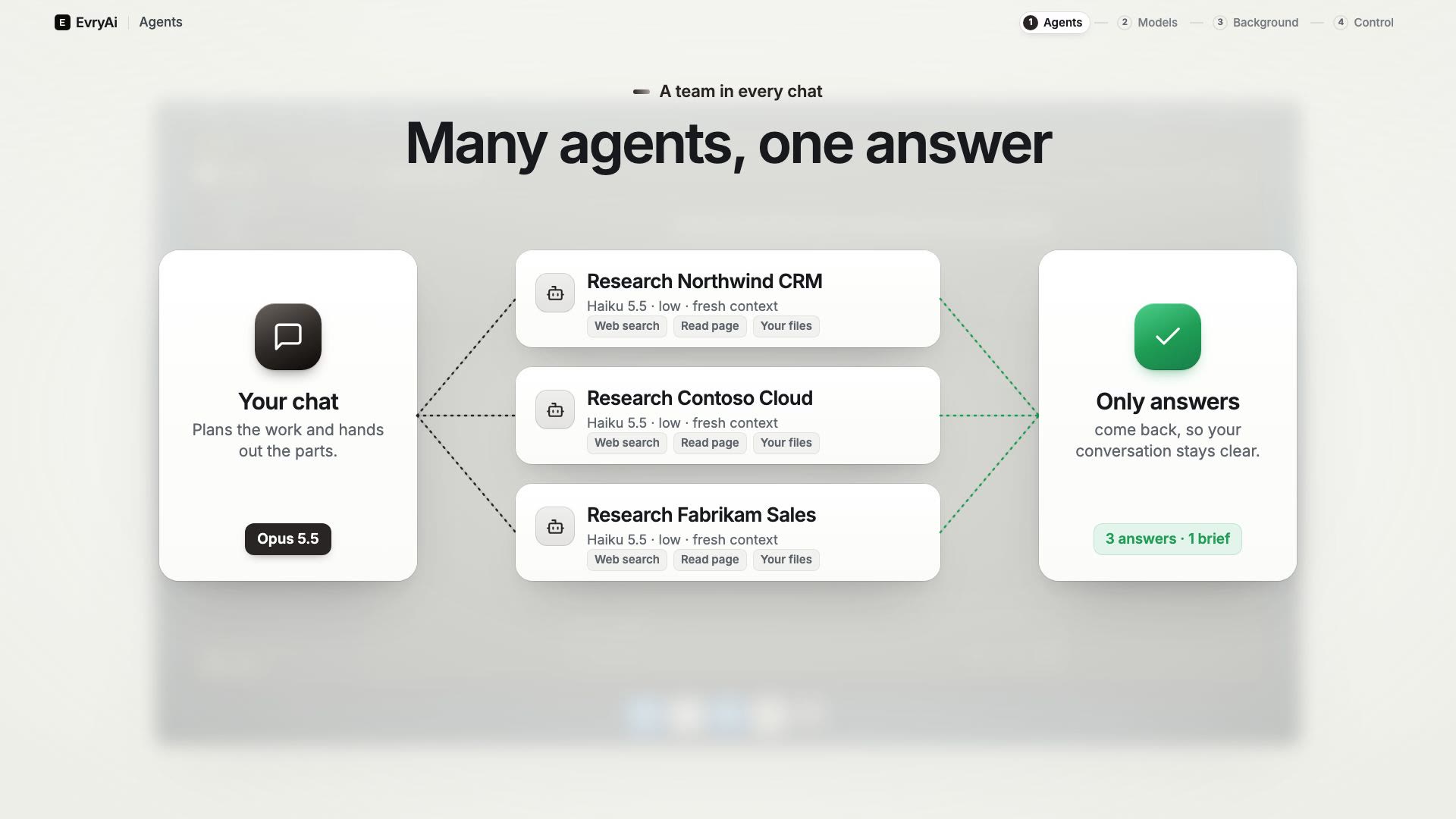
Agent orchestration
3:09 · Narrated
Split big jobs across agents that run side by side, put Claude, GPT and Gemini on the same task, and stop it all with one click.
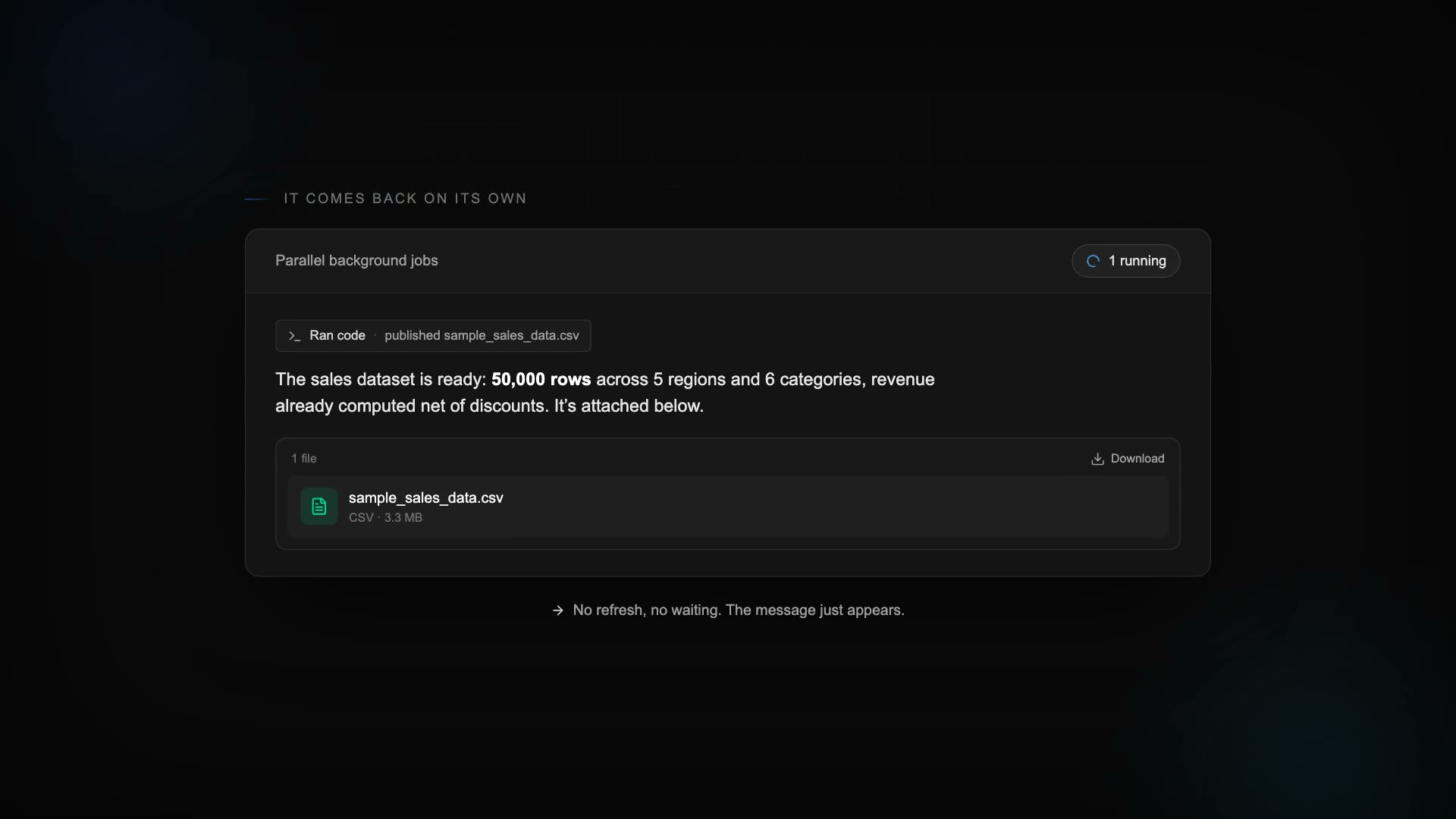
Background agents
0:33 · No sound
Hand off long work and keep going. The agent finishes the job and reports back with the file ready.
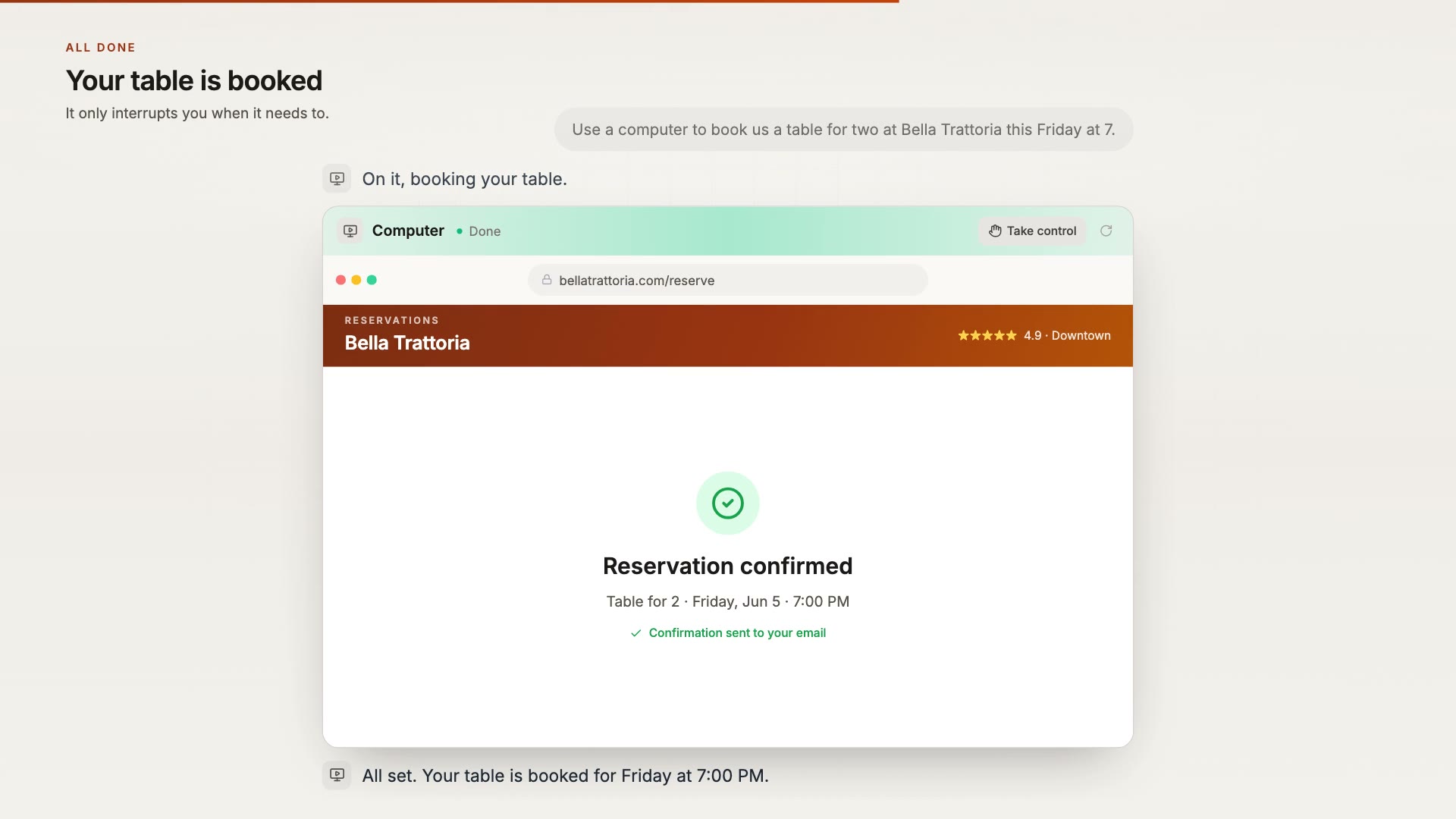
Computer use
0:42 · No sound
The assistant uses real websites for you. It fills out forms and checks out, and hands you the browser for a login or a payment.
Put AI to work without losing control of it
Sign in with your work account, read the guide to see exactly what the platform can do, or talk to us about bringing it to your team.